

Go to Windows platform Display platforms icon
Go to Windows platform Go to Mac platform Go to Android platform
Unreal Commander icon

Unreal Commander

0
5 2 reviews
5.6 k downloads
security security

More features and options to manage files

Advertisement
Remove ads and more with Turbo
Advertisement
Remove ads and more with Turbo
Andrés López icon
Reviewed by
Andrés López
Content Editor
Andrés López is part of Uptodown's in-house Editorial Team. Translated by Uptodown Localization Team

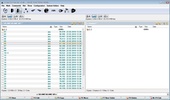
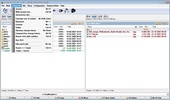
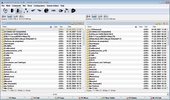
Unreal Commander is a file manager that gives the user much more possibilities than the original Windows file manager.

The program offers advanced search, batch rename, folder synchronization and more. It supports compressed files in the following formats: ZIP, RAR, ACE, CAB, JAR, TAR, LHA, GZ, TGZ, ARJ.

Advertisement
Remove ads and more with Turbo

Unreal Commander also includes a built-in FTP that allows you to connect to the server or PC easily.

Use tab browsing, drag and drop, and view text with the built-in images and text viewer.

In short, Unreal Commander is a good alternative to manage files if you need something more advanced than the Windows file manager.

Information about Unreal Commander 0

Basic information

Developer MaxDiesel
License Free
Category FTP
Rating Not specified
Languages English

Security and privacy

Required permissions Not applicable
Advertising Not specified
See security and antivirus report
Why is this app published on Uptodown? (More information)

Download info

Downloads 5,576
Date Oct 30, 2025
File type EXE
Size 1.92 MB
SHA256 6b5f2174ce1c950883a851df5c39d7172ffe8b518281426b6bea3dc919112899
Advertisement
Remove ads and more with Turbo

Older versions

See more
msi 4.21 (build 1659) Dec 10, 2024
exe 4.21 (build 1645) Aug 30, 2024
exe 3.57 (build 1497) Nov 22, 2021
exe 3.57 (Build 1490) Oct 19, 2020
exe 3.57 (build 1479) Aug 31, 2020
exe 3.57 (Build 1451) Feb 17, 2020

Rate this App

Review the app
Unreal Commander icon

Rating

5.0
5
4
3
2
1
2 reviews

Comments

gershy icon
gershy
in 2020

How do I hide all the drop-down menus at the top of the window? (File, Mark, Commands, Net, Tools, Show, Configuration, System Folders, Help?) Is there an option for this?

Like
Reply
ws2115465 icon
ws2115465
in 2016

This file manager has a TC-style design, suitable for those who have some sentiment towards it.

Like
Reply
Advertisement
Remove ads and more with Turbo
Google Drive icon
Store all your content on the cloud
FileZilla Server icon
Transfer your files and don’t worry about privacy
FileZilla icon
The most used client for uploading files via FTP
RaiDrive icon
Access your Google Drive files directly from your PC
Fiddler Classic icon
Analysis and optimization of HTTP traffic.
WinSCP icon
Very safe FTP client
Filezilla Portable icon
Your Filezilla for your portable device and ready to be run
Cyberduck icon
FTP, SFTP client and cloud storage in one
WhatsApp Desktop icon
The official WhatsApp app for Windows
Google Chrome icon
Fast, clean and easy web browsing courtesy of Google
Uptodown App Store icon
Native Uptodown client for Windows 11
Internet Download Manager icon
Accelerate your downloads with this powerful download manager
Proton VPN icon
Powerful, free, secure and unlimited VPN
Telegram Desktop icon
Talk to all your Telegram contacts from the desktop
Snap Camera icon
Add fun Snapchat filters to your PC camera
UC Browser icon
A fast browser that's based on Chromium